
Wrong GBP Service Area Costs 60% Map Visibility
GBP Service Area is the most important and most misconfigured field for service-based businesses. Three common errors and the data-driven fix.
Wrong GBP Service Area Costs 60% Map Visibility
For service-based businesses that go to the customer (locksmiths, towing, repair, mobile beauty, cleaning, etc.), the GBP Service Area field decides which geographies you appear in. It is also the single most-misconfigured field on the platform — in SeoMata's GBP audits roughly 70 percent of client service areas have measurable problems: too narrow, too broad, or fundamentally wrong type. The cost shows up directly in the map-impression metric, which often runs 30–60 percent below where it should be.
Wrong Configuration 1 — Service Area Too Broad (Greedy Type)
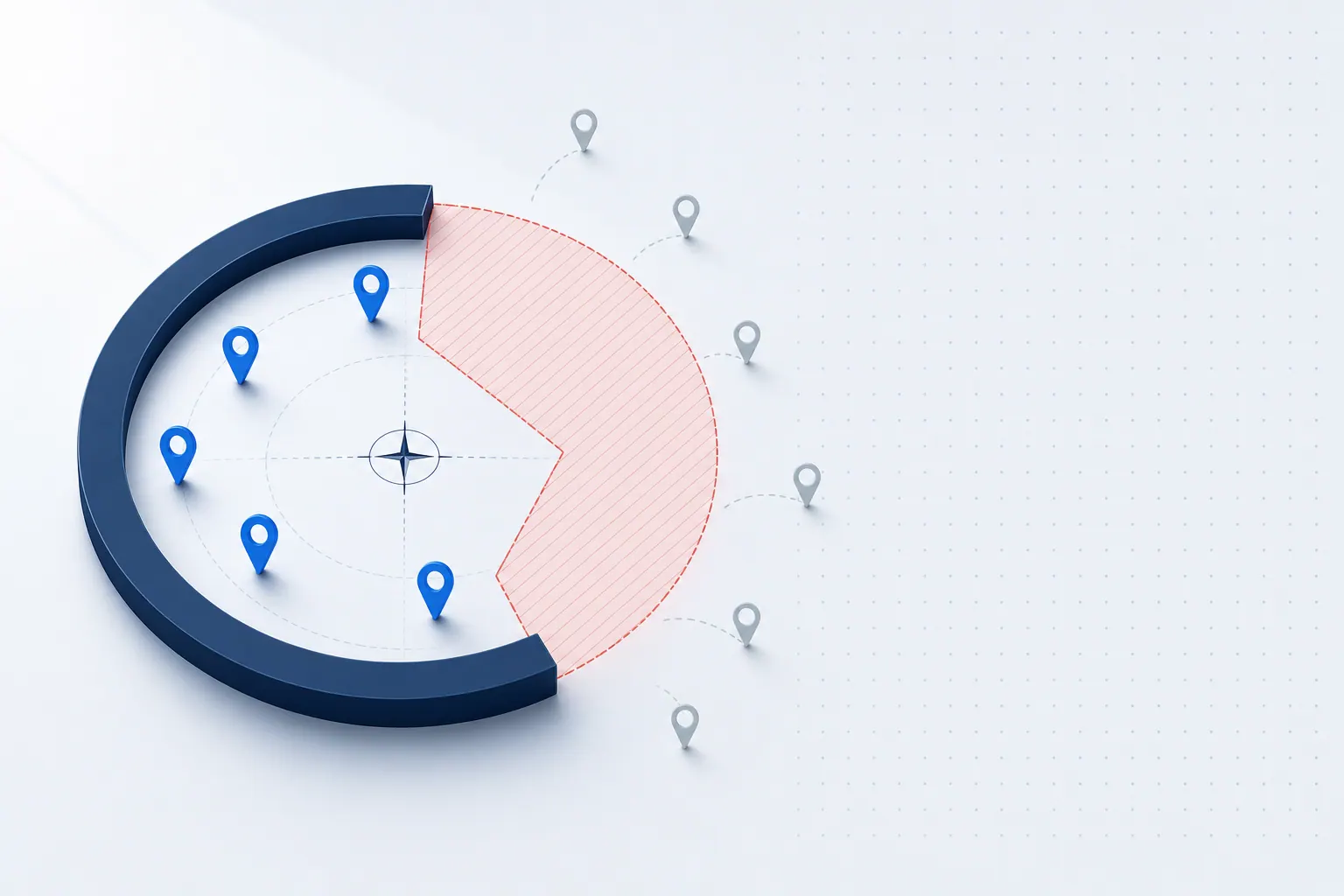
Many owners reason "let me include every place I can technically drive to" and end up listing 50 cities covering an entire state. Google's algorithm flags "very broad coverage plus geographically concentrated order pattern" as "this business may be over-claiming reach" — and discounts visibility across the entire claimed footprint.
How to verify if you are too broad:
- Pull the last 90 days of real orders and tally count per city.
- Remove any city with fewer than 3 orders from the service area.
- If a city has zero or one order in 90 days, it almost certainly should be removed.
Wrong Configuration 2 — Service Area Too Narrow (Conservative Type)
The opposite mistake: an owner worried about "looking fake to Google" lists only their storefront city, even though the actual service radius covers 5–8 surrounding cities. High-intent searches in those surrounding cities flow to competitors.
How to verify if you are too narrow:
- Use Google Trends to check "your core service + each surrounding city" search distribution.
- If a city shows 100+ monthly searches and you can genuinely serve it, add it.
- Pull the last 60 days of real order locations and reverse-engineer the right coverage list.
Combine the data audit with the SeoMata local SEO service service-area scoring rubric.
Wrong Configuration 3 — Service Area Conflicts With Address Type
This is the subtle and severe error. GBP business types come in two flavors:
- Brick and Mortar. Customers come to you. You must display the storefront address.
- Service Area Business (SAB). You go to the customer. You can hide the address but must populate the service area.
Common error: the actual business is SAB (locksmith, towing) but the GBP is configured as Brick and Mortar with a public address. Google treats it as "customers come to you," the service area field becomes inert, and none of the "near me" search surface routes back to you.
Fix:
- GBP → Info → "Do you serve customers outside this location?"
- If your business is mobile, choose Yes.
- Enable "Hide my address from customers."
- Fill the service area per actual order geography.
The "Right" Service Area Boundaries
GBP allows up to 20 service areas — each can be a city, zip code, or neighborhood. Recommended format:
- One primary city: the city where your storefront sits.
- 4–10 surrounding cities: real-served with 3+ orders in the trailing 90 days.
- Zip codes: use zip codes for areas without strong neighborhood naming.
- Do not mix city names + zip codes + street names — Google parses inconsistent inputs poorly.
The "Cold Start" After Changing Service Area
After editing the service area, Google typically takes 4–8 weeks before new areas fully appear in search. During that window:
- Stop making further changes (each edit triggers re-review and resets the clock).
- Publish more GBP posts mentioning the new areas ("now serving Aurora and Centennial").
- Build targeted local backlinks and a matching neighborhood page per new area. Use the SeoMata link-building service for outreach to local directories.
Counterintuitive Reminder
Service area is not "everywhere I can technically drive." It is "where I will actively serve." If a city has few orders and your service quality slips when you take them (long drive, technician unfamiliar with the area), removing the city from the service area can actually lift rankings in your core cities — Google rewards focused service areas with higher visibility there.
FAQ
How often should I review the service area?
Quarterly. Pull a fresh 90-day order map and adjust per the rule of "3+ orders to keep, fewer to remove." Avoid editing more often than quarterly because each edit triggers a re-review window.
Can I use zip codes only instead of city names?
Yes for areas without strong neighborhood naming. Otherwise prefer city or neighborhood names — they match search queries more naturally than zip codes do.
What happens during the 4–8 week cold start?
Old areas still rank, new areas slowly start appearing. Impressions in the new areas grow week over week. Pair the wait with content updates so the new areas have landing surfaces ready.
Does Google penalize me for narrowing the service area?
No. Narrowing is treated as cleanup, not as a violation. The penalty pattern is "over-claiming," not "under-claiming." Narrowing typically improves visibility in remaining areas within 4–8 weeks.
Conclusion and Next Steps
Service area is the highest-leverage GBP field for mobile-service businesses. Get it right and you unlock 30–60 percent more map impressions. Get it wrong and the impressions never appear. For deeper reading, see the SeoMata SEO guides library or the official Google service-area business documentation.
- Pull a 90-day order map this week. Set the service area to cities with 3+ orders using the SeoMata local SEO service rubric.
- Add Hide-Address if you are SAB. Track the cold-start impressions via the Google review growth service dashboards.
- If after 90 days map impressions still do not lift in target cities, the bottleneck is elsewhere (review count, category match, off-page signals). Book a 30-minute diagnostic on our case studies page.
Bottom line: service area is not aspirational. It is operational. Set it to match where you actually serve.
Related articles
Google Maps Ranking Checklist for Local Service Businesses
21 checkable Google Maps ranking actions for local service businesses, grouped by "today / this week / this month". Pure action list, no theory.
Technical SEOThree Schema Tags Most Service-Site Owners Miss
Schema gives your site free extra SERP real estate — but 90% of service-business sites skip the three most basic tags. The cost compounds quietly.
SEOFirst-Screen 5 Seconds: Why Your Site Loses Visitors
53% of mobile visitors bounce before your first screen loads — not a traffic problem, a product one. Three common 5-second leaks and how to fix them.